
Brave Search Indexing Tool
Submit URLs to Brave Search in Bulk
Upload XML sitemaps, fetch sitemap URLs, or paste links — IndexFlow submits each URL to Brave Search automatically.
No account required · 36KB · Free

Features
Everything you need to index on Brave Search
IndexFlow provides all the tools to submit your URLs to Brave Search efficiently.
Three Input Methods
Upload XML files, fetch sitemaps from any URL, or paste URLs manually. IndexFlow handles all formats.
Automated Submission
Each URL is submitted one by one with automatic retry if Brave returns a 'Try Again' response.
Live Progress Tracking
Real-time progress bar, percentage complete, and per-URL status indicators keep you informed.
Session History
Every indexing session is saved locally with search, filters, and detailed results for future reference.
Customizable Settings
Adjust delay between submissions, retry count, toggle desktop notifications, or enable auto-close.
No Account Needed
No login, no sign-up, no data collection. IndexFlow runs entirely in your browser with zero telemetry.
Screenshots
See IndexFlow in action
A quick look at the extension interface and workflow.
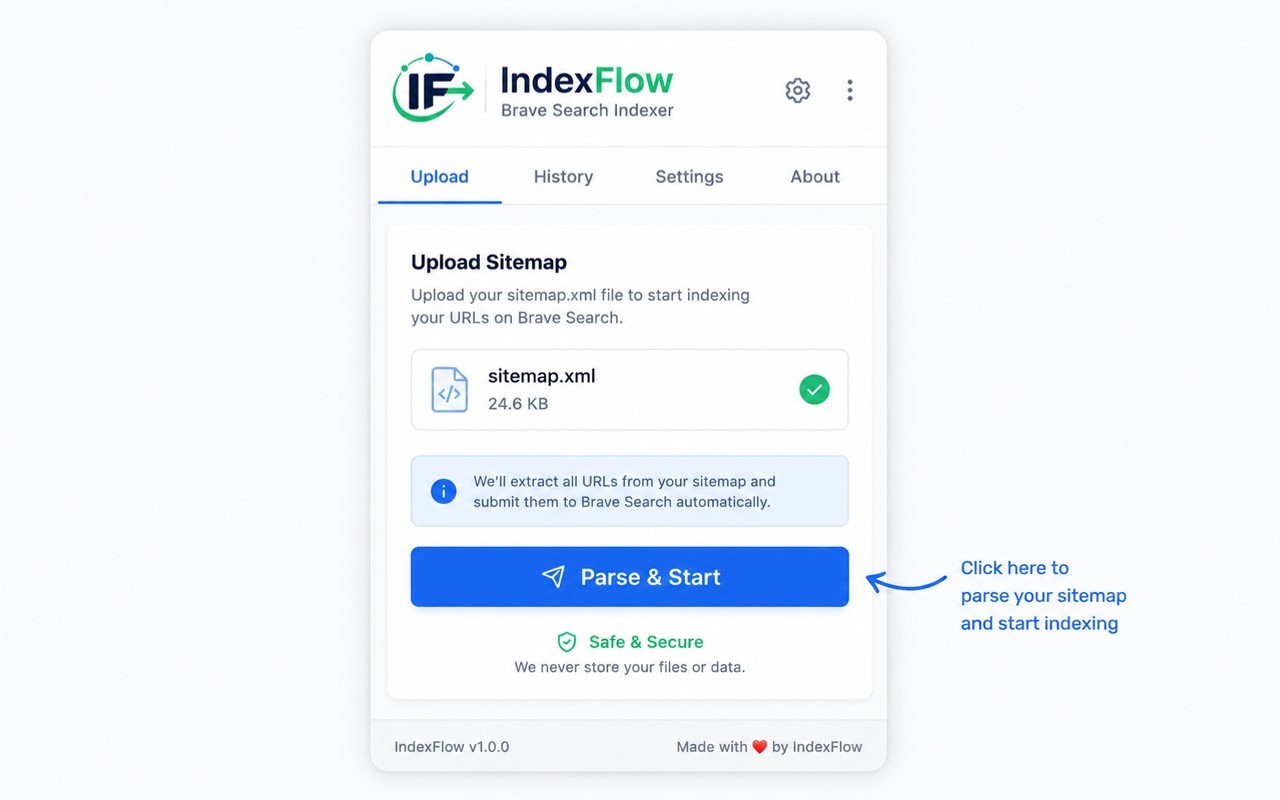
Input Methods
IndexFlow main popup showing input methods: Upload XML, Sitemap URL, or Paste URLs
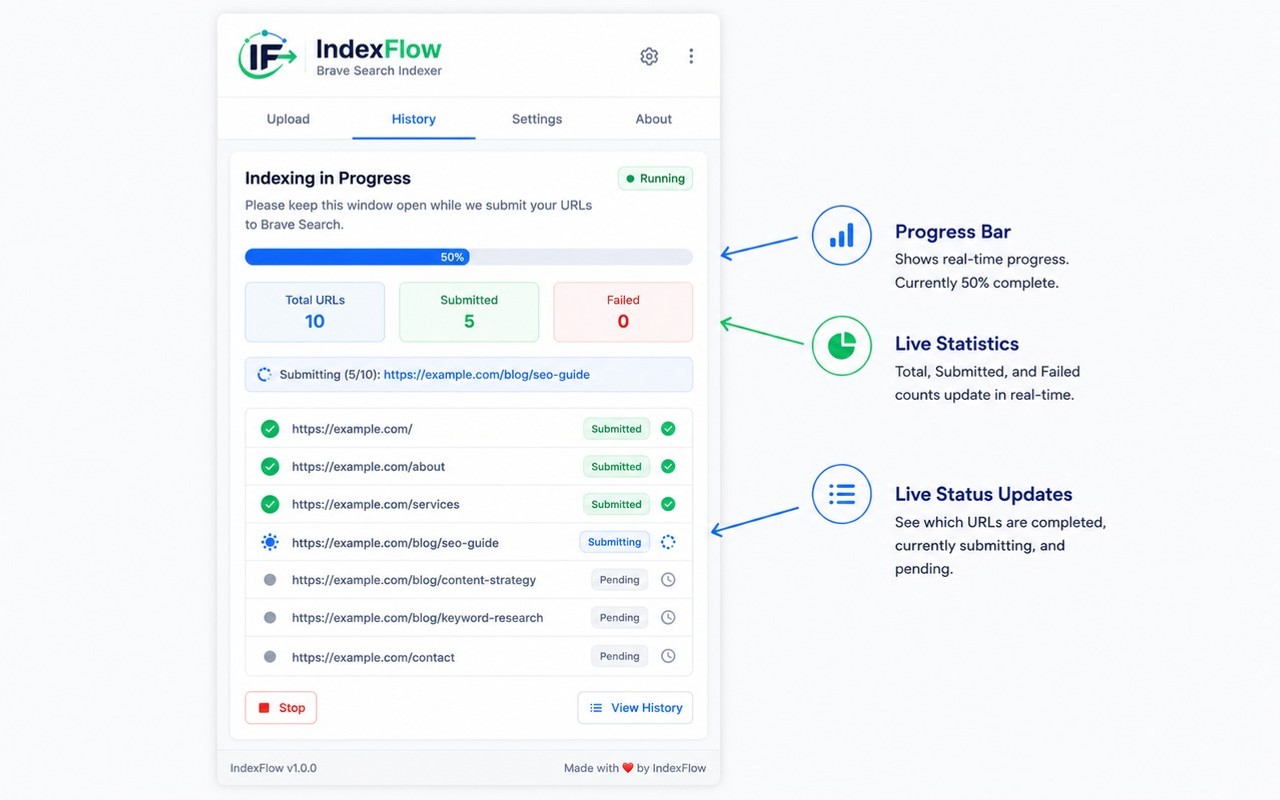
Progress Tracking
IndexFlow progress tracking showing real-time submission status and progress bar

Session History
IndexFlow session history with search, filters, and detailed submission results
How It Works
Get started in seconds
No complicated setup. Install, choose your input, and let IndexFlow do the work.
Choose Your Input
Select your input method: Upload XML, Sitemap URL, or Paste URLs.
Parse & Start
Click 'Parse & Start' to extract all URLs from your sitemap or list.
Automated Submission
IndexFlow opens Brave Search's submission page for each URL, fills the form, and submits.
Automatic Retry
If Brave returns 'Try Again', IndexFlow automatically retries the submission.
Completion & Summary
A summary screen and desktop notification appear with full results.
Installation
Install IndexFlow in one click
Getting started takes less than 30 seconds.
Visit the Chrome Web Store
Go to the IndexFlow page on the Chrome Web Store.
Click "Add to Chrome"
A single click installs the extension. No permissions to review.
Click the IndexFlow icon
Find the IndexFlow icon in your Chrome toolbar and open the popup.
Start submitting URLs
Upload an XML sitemap, provide a sitemap URL, or paste links and click Parse & Start.
Demo
Watch IndexFlow in action
See how IndexFlow automates URL submission to Brave Search from start to finish.
Demo video coming soon
FAQ
Frequently Asked Questions
Everything you need to know about IndexFlow.
Changelog
Release History
Track updates and improvements to IndexFlow.
v1.0.0
July 29, 2026- Initial release
- Support for XML upload, sitemap URL, and paste input
- Automated URL submission with retry logic
- Live progress tracking with status indicators
- Session history with search and filters
- Customizable delay and retry settings
- Desktop notifications on completion
Ready to speed up your Brave Search indexing?
Install IndexFlow for free and start submitting URLs in bulk today.
Add to Chrome — It's FreeNo account required · 36KB · Zero data collection